
Issue:
Provisioning service fails to authenticate after transitioning from client secret to certificate-based authentication.
Applies To:
- Microsoft Entra ID (Azure AD) App Registrations
- SharePoint / Provisioning Service
- Certificate-based authentication setups
1. Certificate is uploaded to the App Registration
2. Certificate (.PFX) is accessible to the service
3. Thumbprint / path / password are correct
4. Service account has access to the certificate
5. Permissions and consent are still valid
Step-by-Step Troubleshooting
Step 1 – Create Certificate or Confirm it exists
Verify certificate is uploaded and active in App Registration (Certificates & Secrets). If you do not have one, create one.
Step 2 – Validate Certificate File
Ensure .PFX includes private key and correct password and is on the local machine.
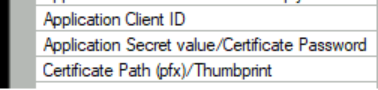
Step 3 – Verify Configuration
Check Client ID, certificate path, password, and thumbprint
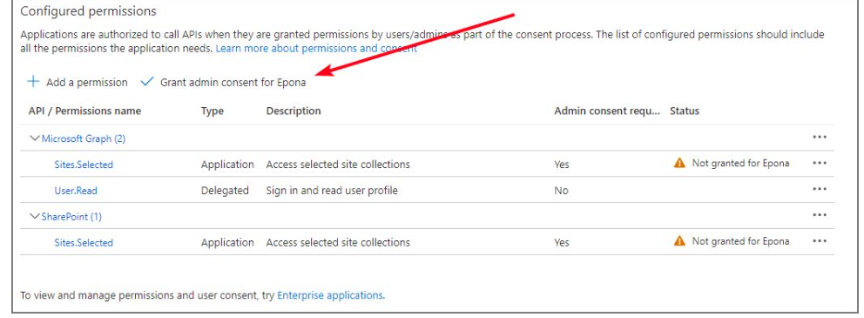
Step 4 – Validate Permissions
Confirm API permissions exist and admin consent is granted.
Step 5 – Restart and Test
Restart the service and verify logs for authentication errors.
Common Errors & Fixes:
- Unauthorized / 401: Re-upload certificate
- Cannot find certificate: Check path or thumbprint
- Access denied: Grant private key permissions
- Works locally, fails in service: Verify service account
Important Notes:
- Self-signed certificates are supported
- Certificate does not need to match SharePoint or public domain
- Used for application authentication only